Open a video
A shot list starts empty. Opening a video adds it as a source, ready to mark.
Steps
- Choose File › New Shot List (Ctrl+N) if you do not already have one open. (Remappable, like every hotkey on this page.)
- Choose File › Open Video… (Ctrl+Shift+O).
- Pick the video file. Shotwork reads its frame rate, duration and dimensions, then loads the first frame into the viewer.
The source appears at the top of the shot list on the left, with room for its shots underneath. The source timeline below the viewer now spans the whole video.
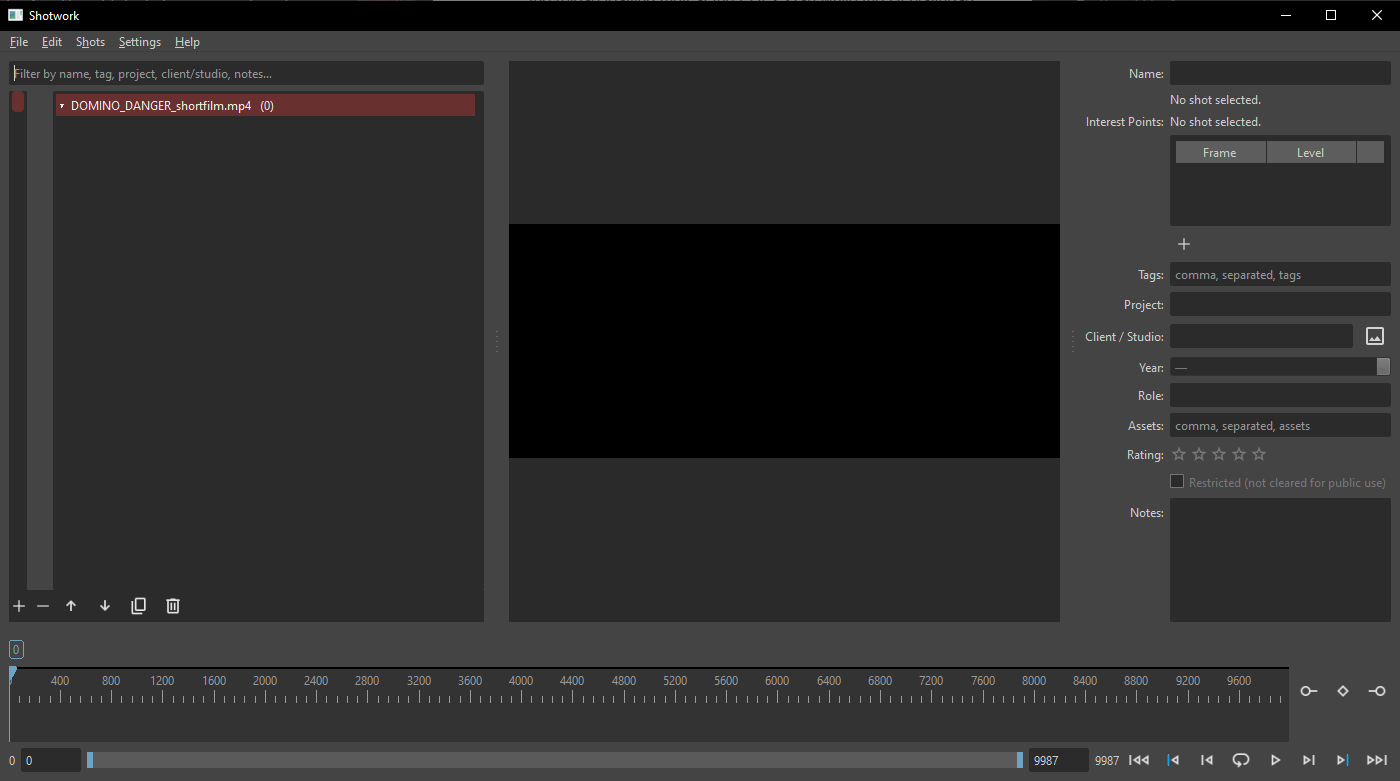
More than one source
Repeat the steps to add another video to the same shot list. Each source gets its own row in the shot list and its own group of shots. Selecting a shot switches the viewer to that shot's source, so one shot list can cover a whole show.
The source's row has a right-click menu: Open This Video, Expand or Collapse, Detect Shots…, Reveal in File Browser, and Remove Video…, which tells you how many shots it is about to take with it.
What happens
Shotwork stores the path to the video, not the video. A .shotwork file
stays small, and your footage stays where you put it. Thumbnails and beat
analysis are cached separately in Shotwork's application data folder.
Warning
Moving or renaming a source video after marking it breaks the link. Shotwork names the file it cannot find and offers a Relink button, so nothing is lost, but the shots cannot play until you do. The file dialog opens in the nearest folder of the old path that still exists, and other files that moved with it are found automatically. Any open reel using that footage updates as soon as it is relinked.
Frame rate and frame accuracy
Shotwork reads the source's frame rate with ffprobe and keeps it as an exact rational value, not a rounded decimal, so 23.976 fps is stored as 24000/1001. Every in and out point is an integer frame against that rate. This is why cuts land where you put them rather than a frame or two away.
Related
- Mark in and out points is the next step.
- Import clips if your shots are already separate files.