The Library window
File › Library… opens one window with five views of everything Shotwork knows about: the files you have registered, every shot in them, the values in their fields, the logos those values wear, and your music. It stays open beside the main window, Esc hides it, and it reopens on the view you last used.
How it works
The Library is an index, not a copy. It lists the shot lists and reels registered with it, and works out its counts from what is in those files each time it refreshes. Removing a file from the Library never touches the file.
- A shot list or reel registers itself when you save or open it, so most of your work is listed without asking. A reel an AI assistant builds registers too.
- The Library refreshes when you open it, when you choose a refresh button, and after its own edits. It does not watch your files, so shots marked in another tab appear once you refresh.
- An AI assistant searches exactly what the Library lists, so a shot list it should see has to be registered.
| View | What it lists | See |
|---|---|---|
| Files | Every registered shot list and reel. | Files |
| Field values | Every value a field holds anywhere, with rename and remove. | Rename and remove field values |
| Logos | Every image in your logo pool and what it stands for. | Logos |
| Shots | Every shot in every registered shot list. | Shots |
| Music | Your imported songs. | Music |
Files
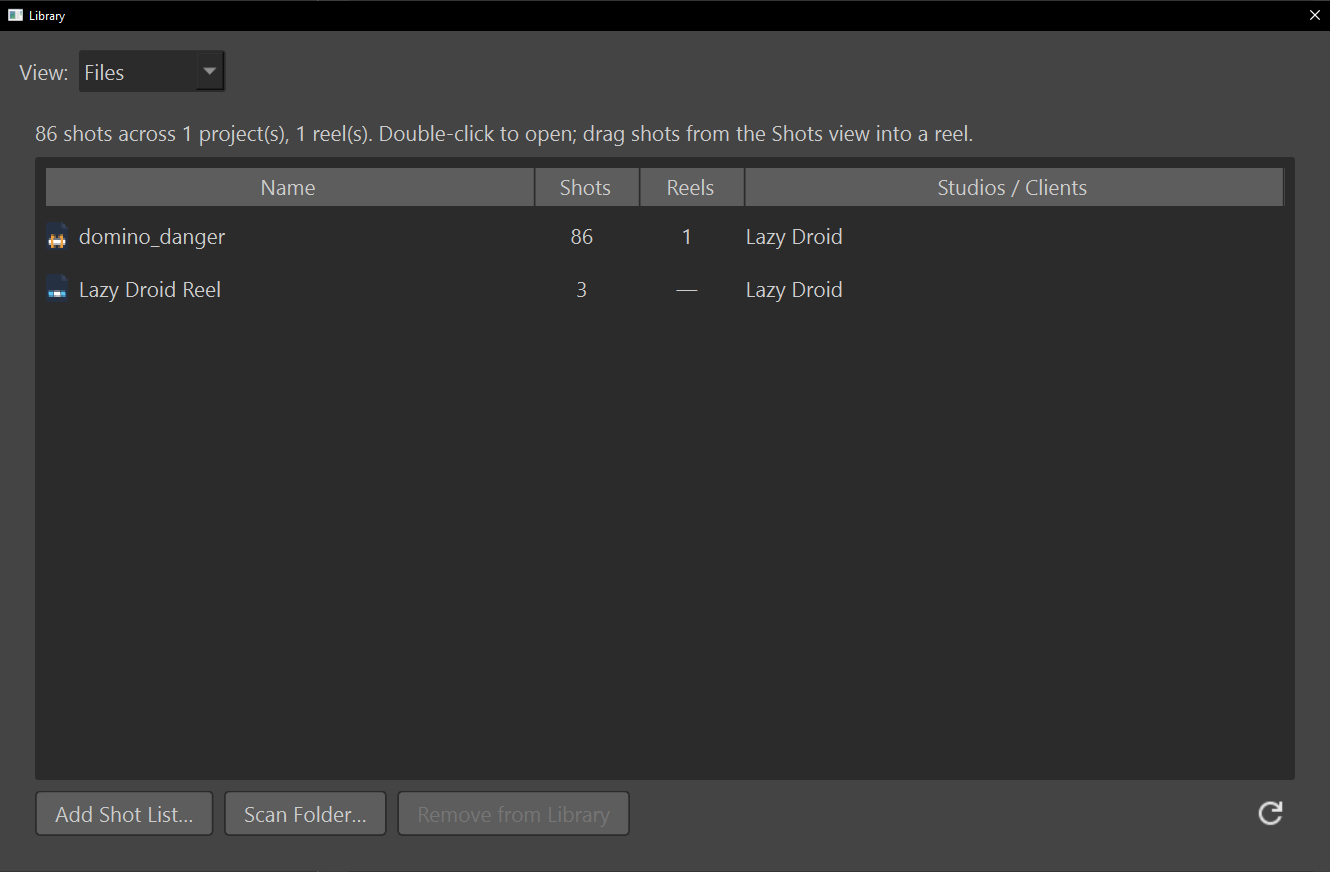
One row per registered shot list and reel: its Name, its Shots (a reel's clips), the Reels that draw on a shot list, and the Studios / Clients on its shots.
- Add Shot List… registers one shot list.
- Scan Folder… registers every shot list and reel anywhere under a folder. Files already listed are not added twice.
- Remove from Library stops tracking the selected file. It does not ask and cannot be undone, but the file itself is untouched and can be added again.
- Double-click a row to open the file in a tab, or to switch to it if it is open already.
- Right-click a row for Open, Reveal in File Browser and Remove from Library. A shot list also offers Reels (2), to open a reel that uses it, and Studios / Clients (1), to jump to that value in the Field values view.
A file that has gone missing, or cannot be read, keeps its row with (file not found) or (could not be read) after its name, so unplugging a drive does not make the Library forget it. Studios / Clients reads the Client / Studio field only; every other field's values are in the Field values view.
Shots
Every shot from every registered shot list, in the same picker a reel tab uses: the filter box and its query language, the minimum-rating stars, a list or a thumbnail grid, and the size slider. Restricted shots are listed, tinted red. See Narrow the list first.
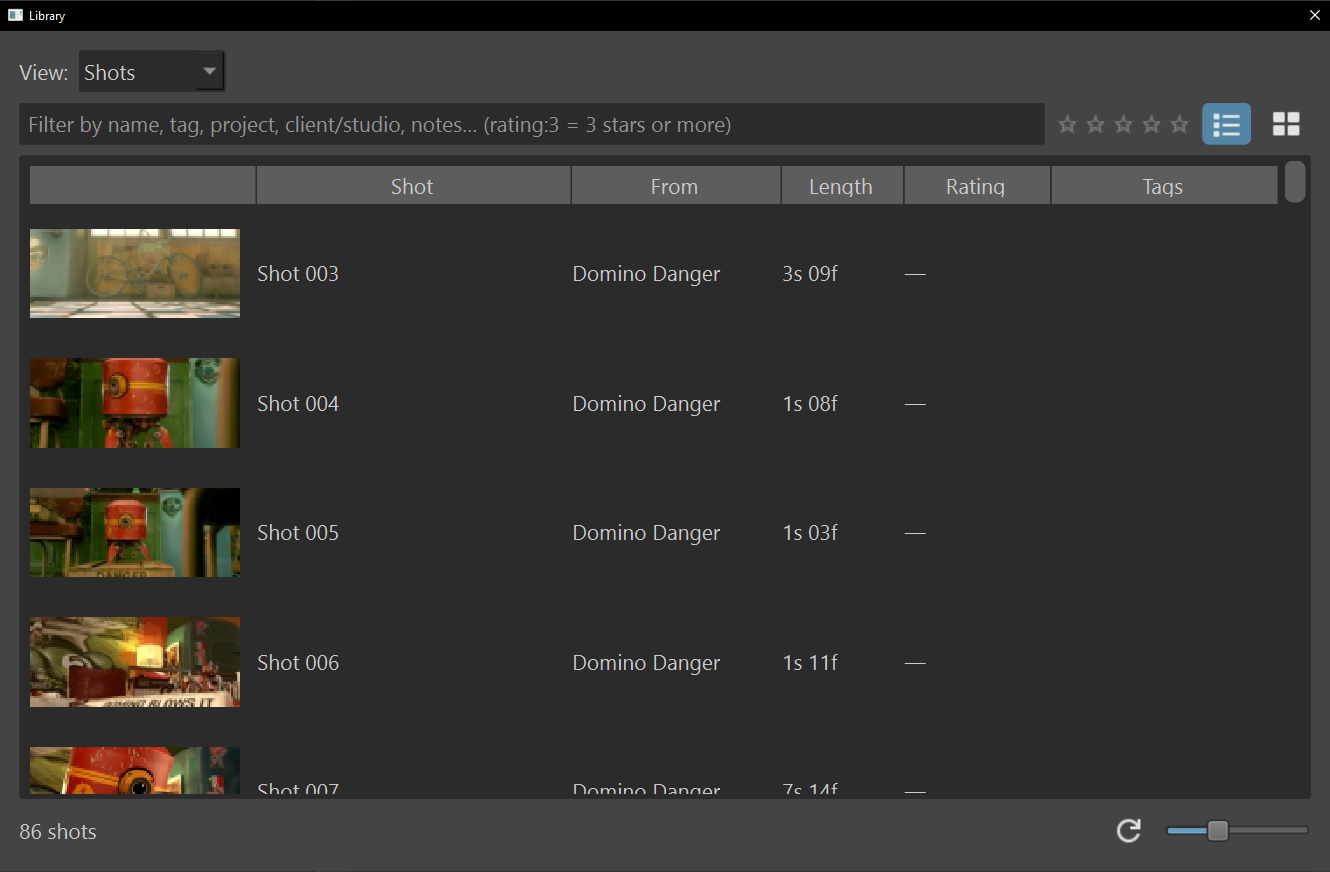
- Double-click a shot to open its shot list at that shot.
- Drag a shot onto a reel timeline to add it there.
- Right-click a shot for Reveal in File Browser and Open Source Project.
The list or grid choice and the thumbnail size are shared with the reel tab's picker.
Music
Your imported songs, left where they are on disk, with each one's Song, Duration, Beats / Energy, Downbeats, and the reels it is Used by.
- The + button imports songs and analyzes them in the background.
- The refresh button analyzes the selected song again from scratch.
- The − button takes the selected song out of the library. It does not ask, and the file and every reel using it are untouched.
- Right-click a song for Reveal in File Browser, Re-analyze, Manual Downbeats… and Remove from Library.
- Drag a song onto a reel timeline to add it.
Downbeats reads every 4 (manual) for a count you set, a check mark once analyzed, analyzing… while queued, or no engine without the downbeat engine. A song whose file is gone reads (missing), and one replaced since you imported it reads (file changed) until you analyze it again. See Your music library and Beats and downbeats.
What this means when you…
- …mark shots in another tab: choose the refresh button to see them here.
- …unplug a drive: its files stay listed as not found, and come back with the drive.
- …want an AI assistant to see a shot list: save or open it once, or add it here.
- …rename a studio: every registered shot list changes, and its logo comes along. See Rename and remove field values.
What the Library keeps, and where
library.json, in Shotwork's app data, holds
two lists of full paths: registered shot lists and registered reels.
Everything else the window shows is worked out from those files, or read
from a file of its own: remembered field values in field_values.json,
logos with their assignments and categories in the logos folder, tags
in tags.json, and songs in music.json. Paths are resolved before they
are stored, so one file added two ways is one entry, and a missing or
damaged library.json reads as an empty library. Because the paths are
full paths, the file only means something on the computer that wrote it.
Related
- Rename and remove field values and Logos, the other two views in detail.
- Describe a shot for the fields whose values the Library lists.
- Connect an AI assistant, which searches what the Library lists.